
There is no QLab for Android. This is what runs a show on one.
QLab runs on a Mac only. Figure 53's mobile apps are QLab Remote, which controls a Mac running QLab, and Go Button for iPhone and iPad. To play a cue list on an Android phone or tablet without a Mac, you need a cue player that runs on Android itself, such as Cuefaro or Audio Cues.
Free to start: your whole first show, with every feature.
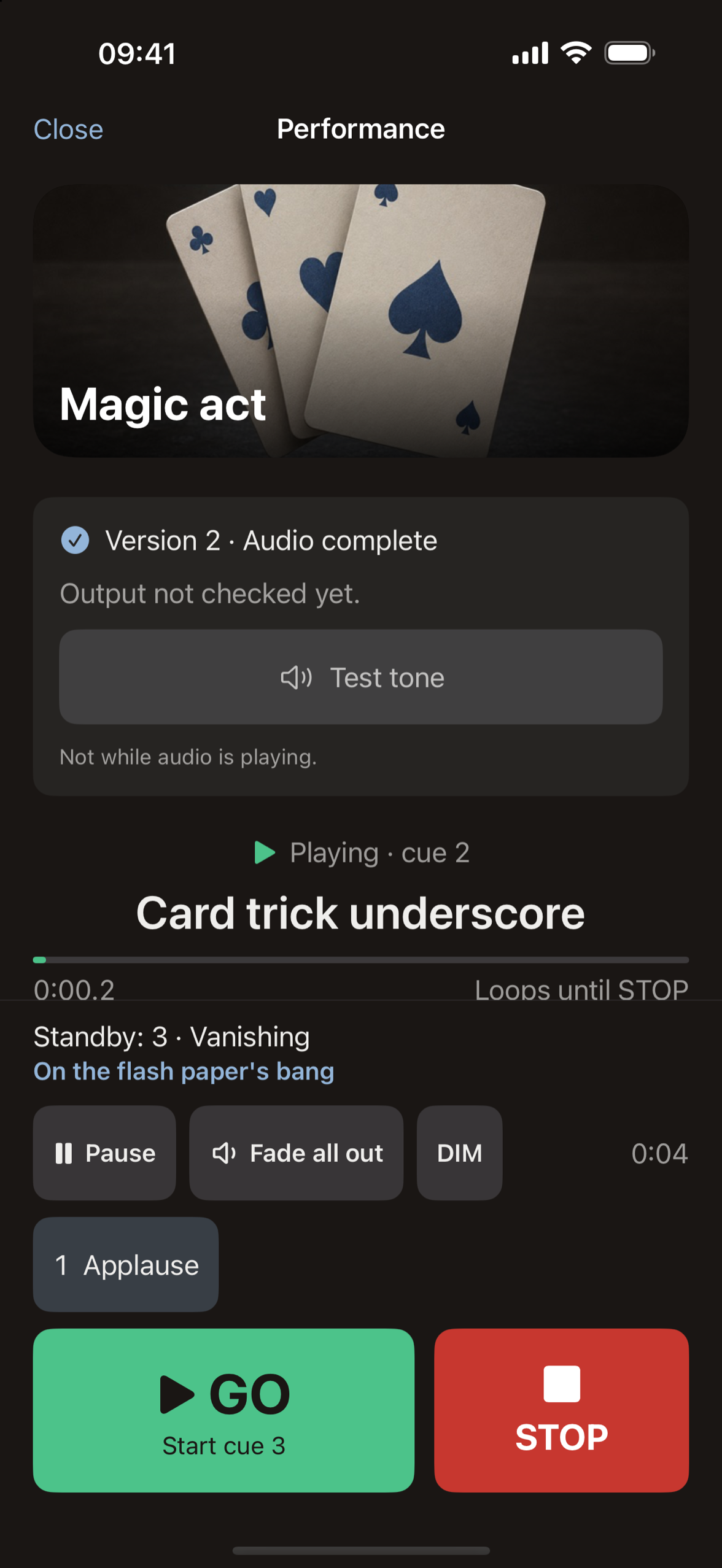
Cuefaro and Audio Cues, side by side.
Both apps play a running order with one GO per cue, on the Android device itself, without a Mac. They differ in what they add around that list.
| Cuefaro | Audio Cues | |
|---|---|---|
| Runs on | Android, iPhone and iPad | Android |
| How you pay | Your first show is free with every feature. More shows cost €39.99 once | A one-time purchase, US$14.99 from 15 November 2026 |
| Free to try | One complete show, plus example shows that do not count | Up to two shows per device and ten cues per show |
| GO list and automatic follows | Yes | Yes |
| The same show on iPhone and iPad | Yes, one frozen show package opens on all three | No |
| Numbered versions with a check of every audio file | Yes | Not described |
| MIDI and OSC control | No | Yes |
| Go-to cues and cues that fade or stop another cue | No | Yes |
Choose Audio Cues if your show is Android only and you need MIDI, OSC or control cues. Choose Cuefaro if the same show has to run on an iPhone or iPad as well, or if you want to know before the show that every file is there and unchanged.
Run a show from an Android phone.
- Import the audio. WAV, M4A or MP3 from your files or downloads. Cuefaro keeps its own copy, so the show still plays when the original file is gone.
- Put the cues in order. Give each cue a note with the line or moment it goes on. Trim it on the waveform, set fades, level and repeats.
- Freeze the version you rehearsed. Cuefaro numbers it and records a checksum for every audio file.
- Check before the show. The check names any missing or changed file and plays a test tone through the current output.
- Connect by cable. Run a cable to the sound desk or a powered speaker; a Bluetooth speaker adds delay. Turn on Do Not Disturb.
- Press GO. Each GO starts exactly the cue on standby. A call or an error never starts the next cue.
When QLab on a Mac is still the right tool.
QLab does far more than play sound. If your show needs video, lighting, MIDI or OSC show control, or sound sent to several outputs, a Mac running QLab is the better choice, and no Android app replaces it.
Cuefaro is built for the shows that need none of that: a play, a recital, a magic act or an evening of acts, where the sound has to start on cue and someone else may have to run it.
Questions about QLab and Android.
Can I control QLab from an Android phone?
Yes, with a remote-control app that uses QLab's OSC interface, but it needs a Mac running QLab. Cuefaro is not a QLab remote: it plays the show on the Android device itself.
Why is there no QLab for Android?
Figure 53 makes QLab for macOS only. Its mobile apps, QLab Remote and Go Button, are for iPhone and iPad.
Is there a free option on Android?
Cuefaro is free for your first complete show, with every feature. Audio Cues is free for up to two shows per device and ten cues per show (checked on 12 November 2026).
Can I open a QLab workspace in Cuefaro?
No. Build the cue list again in Cuefaro with the same audio files. Notes, trims, fades and follows are set per cue.
QLab and Go Button are trademarks of Figure 53. Cuefaro is made by oomny and is not affiliated with Figure 53 or Radial Theater.