
QLab does not run on iPad. These apps do.
QLab is a Mac app. On an iPad, QLab Remote controls a Mac that runs QLab, but it does not play the show itself. To run sound cues from the iPad alone, use a cue player made for it, such as Go Button, Cuefaro, MiX16 Show Cue or SQ Theatre Sound Cues.
Free to start: your whole first show, with every feature.
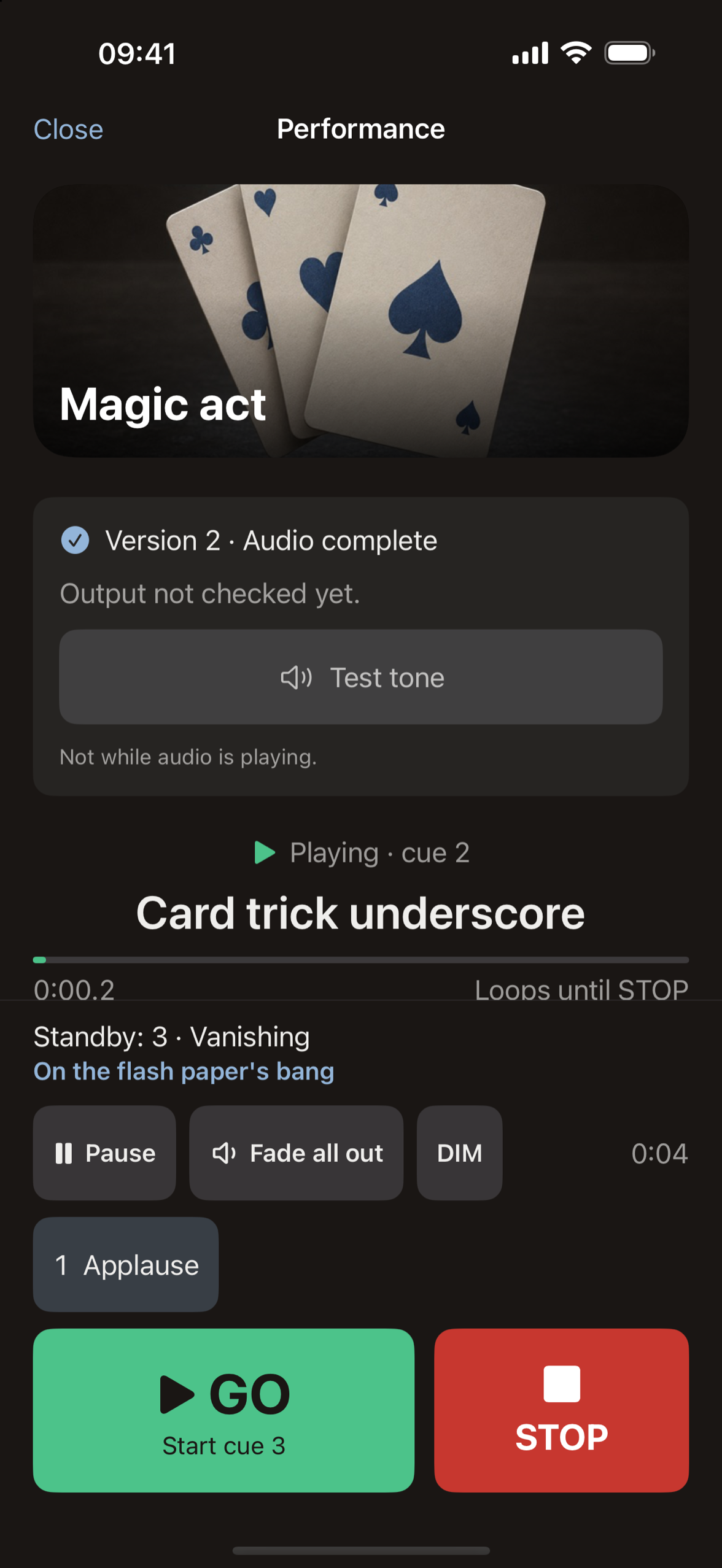
Four apps that play the show on the iPad itself.
| Runs on | How you pay | Show opens on Android | |
|---|---|---|---|
| Go Button | iPhone and iPad | One show free, then Pro for US$99.99 once | No |
| Cuefaro | iPhone, iPad and Android | First show free with every feature, then €39.99 once | Yes |
| MiX16 Show Cue Lite | iPhone and iPad | US$9.99 up front; the Lite version holds up to 50 cues | No |
| SQ Theatre Sound Cues | iPhone and iPad | Free, with Pro as an in-app purchase | No |
Go Button and MiX16 take MIDI or OSC; Cuefaro does not. Cuefaro is the one whose show package also opens on Android, and it checks every audio file against the frozen version before you play.
What you give up on an iPad.
QLab on a Mac also runs video, lighting and show control over MIDI or OSC, and can route sound to several outputs. If your show depends on that, keep a Mac with QLab in the booth.
What you gain with an iPad is a show that fits in a bag and runs on battery: a running order with a note on every cue, hits on their own buttons, automatic follows, fade all out and a timer. That covers most plays, recitals, magic acts and talent shows.
A second iPad, or an Android phone.
- Freeze the version. When the rehearsal sounds right, freeze it. Cuefaro numbers the version and records a checksum for every file.
- Send the show package. Share it by AirDrop, Messages, mail or Files. The audio travels inside it.
- Open it on the other device. An iPhone, an iPad or an Android phone or tablet. Cuefaro names the version and checks every file before the show.
Questions about QLab and iPad.
Is there a QLab app for iPad?
Only QLab Remote, which controls QLab running on a Mac. QLab itself does not run on iPad.
What is the best sound cue app for iPad?
It depends on the show. If you need MIDI or OSC, look at Go Button. If the show has to open on Android too, or you want a check of every file before you play, Cuefaro fits. For a short list on a small budget, MiX16 Show Cue Lite is a paid app with a 50-cue limit.
Can I run the show from an iPhone instead?
Yes. Cuefaro works the same on iPhone, and the show package moves between iPhone, iPad and Android.
Does it work without wifi?
Yes. The audio is copied onto the device, so the show plays offline.
QLab and Go Button are trademarks of Figure 53. Cuefaro is made by oomny and is not affiliated with the makers of the other apps on this page.