
Play the ceremony music from a phone, right on cue.
Put the prelude, the processional, the signing music and the recessional in order. Trim each song to the moment you want, fade from one to the next, and let a friend press GO when the time comes. Cuefaro runs on iPhone, iPad and Android and needs no connection at the venue.
Free to start: your whole first show, with every feature.
From the first guest to the last note.
- Prelude. Music while the guests arrive. Set it to repeat, so it never runs out before the ceremony starts.
- Processional. Trim the song so it starts where you want it, and let it replace the prelude with a crossfade when you press GO.
- Signing. Quiet music while the register is signed. DIM lowers it when someone speaks.
- Recessional. The song for the walk back up the aisle, ready on GO the moment you are married.
Give every cue a note, such as "when the doors open" or "after the vows", so whoever presses GO knows exactly when it goes.
Let a friend run it.
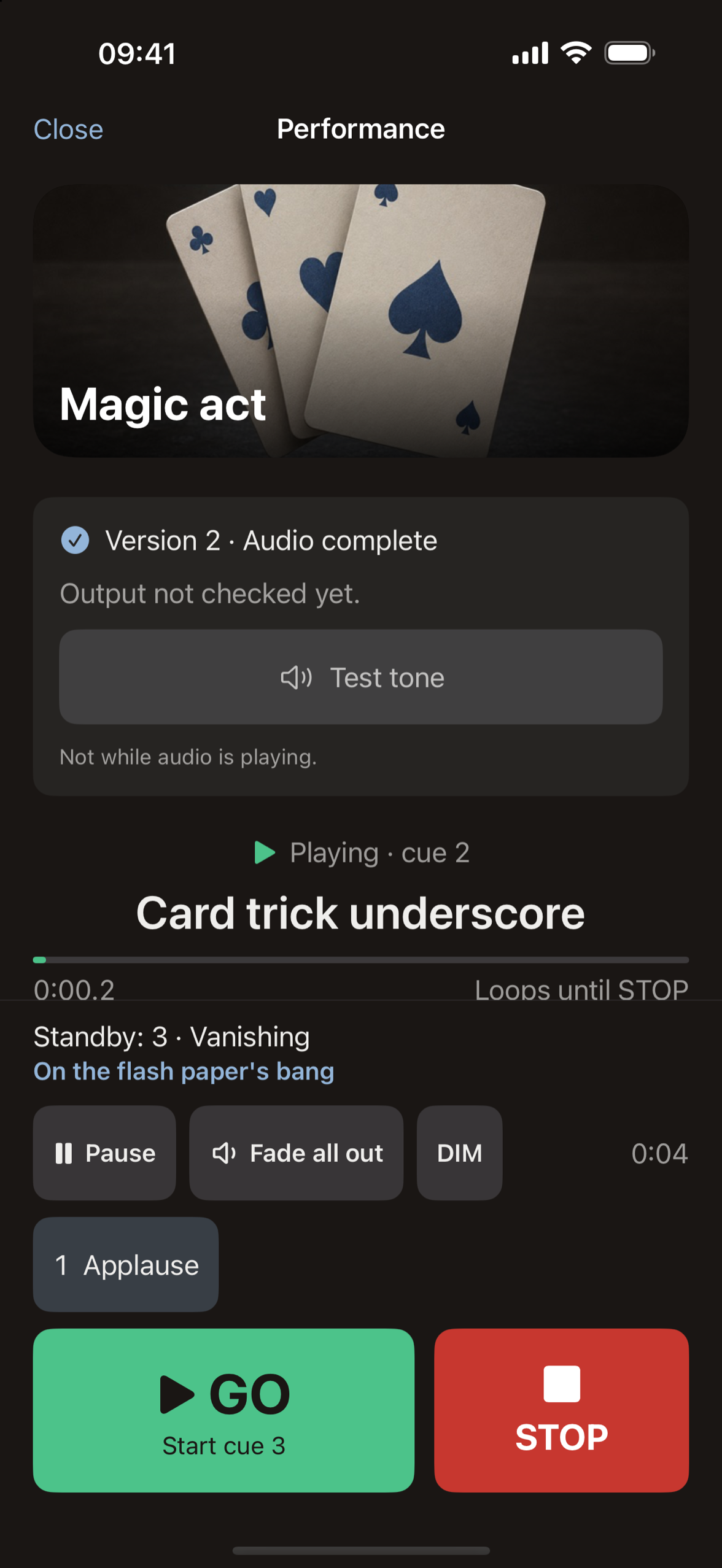
The performance screen is dark and shows the cue on standby with its note. GO starts exactly that cue, and the next one moves to standby. Tapping a cue in the list only puts it on standby, so nothing plays by accident.
If the moment comes early or late, fade all out ends every sound gently and STOP silences at once. Practise it once at the rehearsal, with the same phone and the same speaker.
Use music files, not a streaming app.
Cuefaro plays WAV, M4A and MP3 files from your device's files or downloads, and keeps its own copy of each one. Streaming services such as Apple Music and Spotify do not let other apps play their songs, so use music you have bought as a file or recorded yourself.
- A cable from the phone to the venue's sound system or a powered speaker. A Bluetooth speaker adds a short delay.
- Airplane mode or Do Not Disturb, so no call or message sounds through the speakers.
- A second phone with the same show package, if you want a backup.
Questions about ceremony music.
Does the venue need wifi?
No. The music is copied onto the device, so the ceremony plays offline.
Can I start a song in the middle?
Yes. Drag the start handle on the song's waveform, or type the exact time, and add a fade in.
Can I use songs from Spotify or Apple Music?
No. Those services keep their songs inside their own apps. Use music files you own.
What does it cost?
Your first show is free, with every feature, and one ceremony fits in it. Celebrants and planners who run many ceremonies unlock more shows with a one-time purchase of €39.99. There is no subscription and no account.